What Is a Robot Simulator — What Robot Simulation Verifies Before Installation
November 16, 2026
What Is a Robot Simulator — Running the Robot Before It Reaches the Floor
A robot simulator is software that recreates a robot and its surrounding equipment inside a computer so that motions can be run in advance, without the physical hardware. You place 3D models of the robot arm, gripper, conveyors, pallets, and safety fences, execute the robot program, and the virtual robot moves through the same sequence it would on site. Running a robot in a virtual environment like this is called robot simulation.
The reason robot simulation matters is simple: problems found after the equipment is installed are expensive to fix. Moving a robot pedestal by 20 cm takes seconds on a screen, but once the anchors are in the floor it becomes a multi-day rework job. This article explains what a robot simulator can verify, what types exist, and how far simulation results can be trusted, from the perspective of logistics and manufacturing sites.
Four Things Robot Simulation Verifies
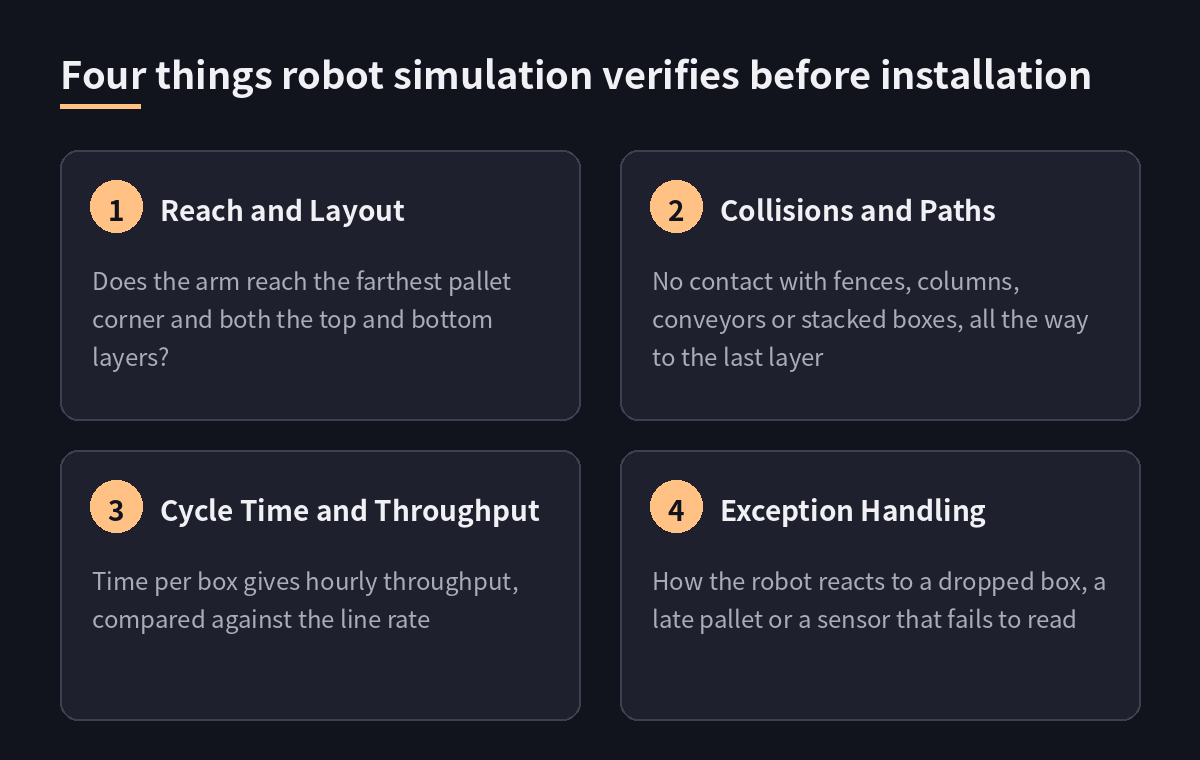
A simulator will not tell you everything. But checking the following four items before installation greatly reduces the time lost on site.
Reach and Layout
Confirm that the robot arm actually reaches every point it needs to. In palletizing, that means the farthest corner of the pallet, the top layer, and the bottom layer. Simulation also exposes cases where the arm can reach a point but the wrist hits its joint limit and cannot place the box in the required orientation. The robot model, pedestal height, and the distance between conveyor and pallet are decided at this stage.
Collisions and Paths
Check that the robot does not hit fences, columns, conveyor frames, or boxes already stacked while it carries a box. The higher the stack, the narrower the free space, so running only the first layer is not enough; the simulation has to run through the final layer. It is important to include the volume of the box held in the gripper in the collision check.
Cycle Time and Throughput
Measure the time needed to pick one box, place it, and return, and use that to calculate hourly throughput. If the robot is slower than the rate at which boxes leave the line, boxes pile up on the conveyor. This number tells you whether one robot is enough, whether it needs to pick two boxes at a time, or whether a second robot is required. Throughput is also the starting point for calculating the payback period.
Exception Handling
What consumes the most time on site is not normal operation but exceptions. Testing how the robot reacts when it drops a box, when a pallet does not arrive on time, or when a sensor fails to read would require causing incidents on purpose with real equipment. In a simulator, these situations can be created safely and repeated as many times as needed.
Types of Robot Simulators
Tools called robot simulators differ considerably depending on their purpose. The right tool depends on what you want to verify.
Offline Programming (OLP) Simulators
The typical example is the tool a robot manufacturer provides for its own robots. Because it computes motion the same way the real controller does, reach and cycle time can be evaluated fairly accurately, and the program you create can be transferred to the real robot as is. The trade-off is that these tools are often tied to one manufacturer, which is a limitation on sites that run robots from several vendors.
Physics-Engine-Based Simulators
These simulators compute physical effects such as gravity, friction, and contact so that objects behave as they would in reality. They can reproduce boxes sliding, stacks collapsing, or a vacuum gripper losing its grip. They are also used to generate images from virtual cameras for training and testing AI vision.
Digital Twins
Rather than being used once before installation, a digital twin stays connected to the operating site. The state and job history of the real robots are reflected in the virtual model, so past jobs can be replayed and the outcome of a settings change can be checked in advance. It can be seen as the simulator expanding from a design tool into an operations tool.
Where Simulation and the Real Site Diverge
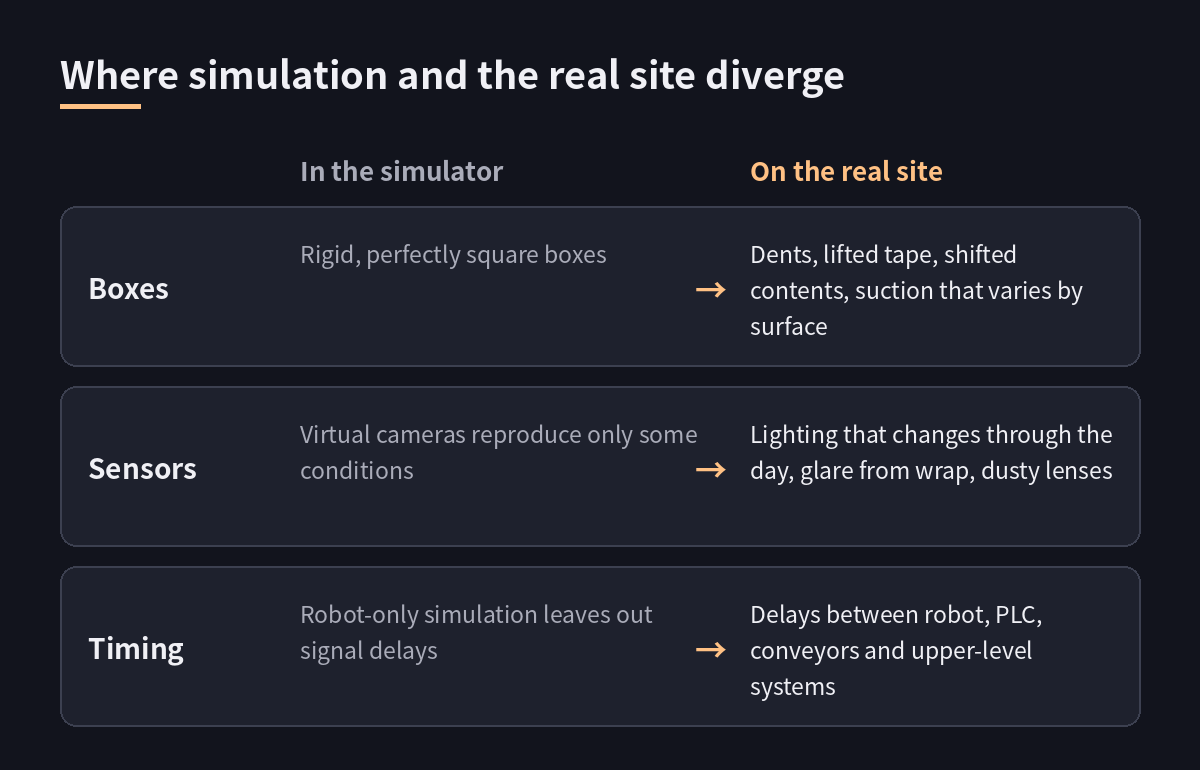
A program that runs well in simulation does not automatically run the same way on site. Knowing where the gaps are is what lets you read the results correctly.
Boxes and Contact
Real boxes are dented, their tape lifts, and their contents shift to one side. Suction force also varies with surface material. Boxes in a simulator are usually rigid, perfect cuboids, so grasp success rates tend to look better than they will be in reality.
Sensors and Cameras
On site, lighting changes through the day, plastic wrap reflects light, and dust settles on lenses. Virtual cameras reproduce these conditions only partially. For processes that use vision, use simulation to verify the flow, but test recognition performance separately with real boxes.
Communication and Timing
There are delays when the robot, PLC, conveyors, and upper-level systems exchange signals. Simulating robot motion alone leaves those delays out. Timing problems can only be caught in advance by emulating the equipment signals as well and running the whole sequence together.
How Logistics Sites Use a Robot Simulator, Step by Step
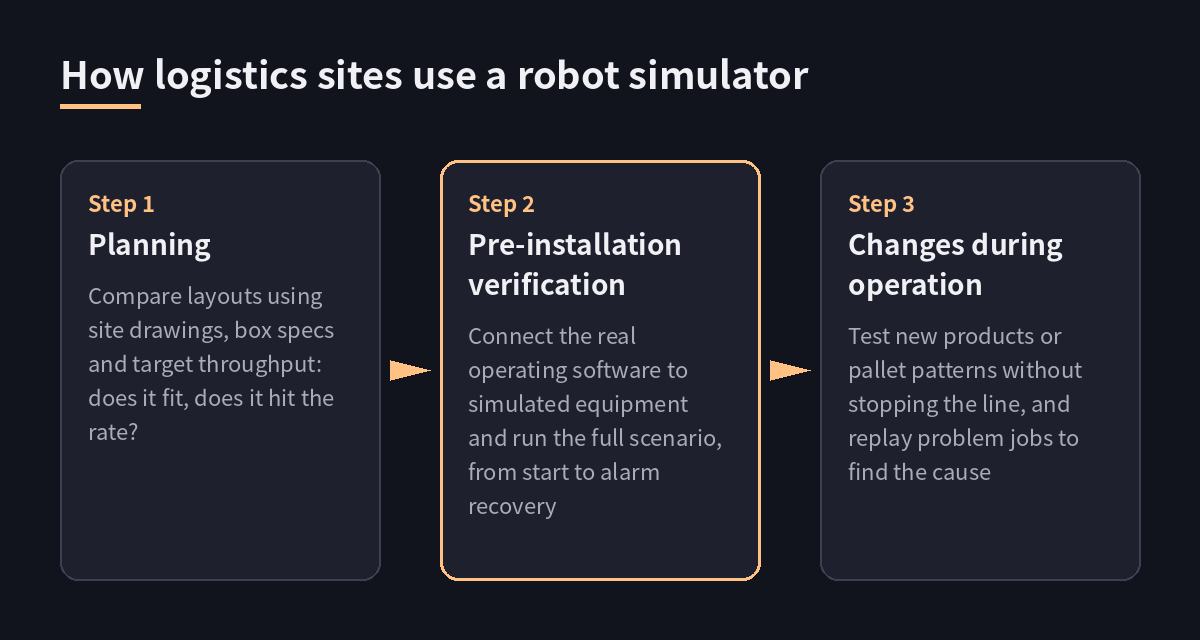
Robot simulation serves a different purpose at each stage, from initial review through operation.
Planning Stage
Using the site drawing, box specifications, and target throughput, several layout options are built and compared. The goal here is not precise numbers but to decide whether the system fits in the space and whether the target throughput is achievable. Constraints such as limited floor space and mixed-case loads, the conditions that make palletizing automation difficult, are filtered out at this point.
Pre-Installation Verification
Once the layout is fixed, the operating software that will actually be used is connected to simulated equipment and the full scenario is run from start to finish, including job start, pallet exchange, and alarm occurrence and recovery. Every problem caught here shortens on-site commissioning by that much.
Changes During Operation
When a new product is added or a pallet pattern is changed, it is checked in the virtual environment first, without stopping the line. Simulation is also used to replay a job that had a problem and find the cause.
The video below shows Roboe CBR palletizing boxes of different sizes on a real line.
What to Check When Choosing a Robot Simulator
Whether you are selecting a simulator yourself or reviewing the one your automation vendor uses, three questions are enough.
Does It Run the Same Code as the Real Operating Software?
If the simulation program and the on-site program are separate, everything verified in simulation has to be verified again on site. Verification only means something when the same software can drive both simulated and real equipment.
Does It Include Equipment Other Than the Robot?
Check whether conveyors, lifts, sensors, and PLC signals can also be built virtually. A simulation in which only the robot arm moves tells you about reach, but not whether the whole line runs.
Can It Be Used During Operation?
Confirm that jobs can be replayed and changes tested in advance after installation is complete. When the simulator is connected to a robot control system, operating data can be used directly in simulation.
MOROS is a robot operating system that provides pre-installation verification, building the site with simulated equipment and running the whole scenario end to end, along with simulator and replay functions during operation. If you would like to check this against the conditions of your own site, reach us through the contact form.